
Output Devices Explained: Meaning and Common Categories — Complete Beginner Guide
In today’s world, computers are an essential part of daily routines. We use them for work, studies, entertainment, banking, communication, shopping, designing, gaming and so much more. But a computer would be almost useless if it couldn’t show us the result of what it is doing.
That is exactly why output devices exist.
An output device makes it possible for the computer to present information back to the user in a form that can be seen, heard or physically touched.
In this detailed guide, you will learn:
✔ What an output device is
✔ How output devices work
✔ Different categories of output devices
✔ Real-life examples
✔ Where they are used
✔ Benefits & limitations
✔ The difference between input and output devices
Everything is explained in simple English — perfect for beginners and students.
1. What Is an Output Device? (Simple Definition)
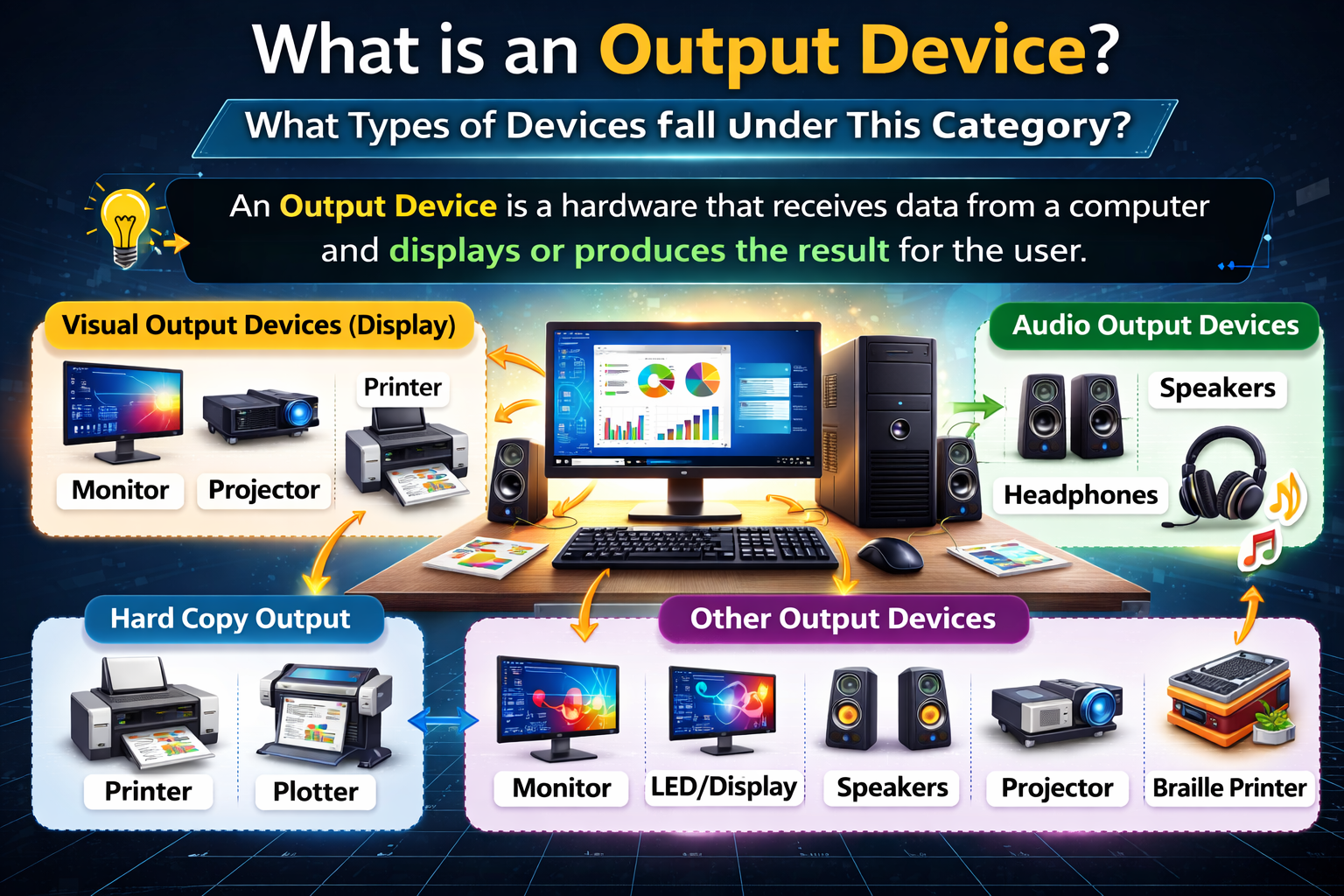
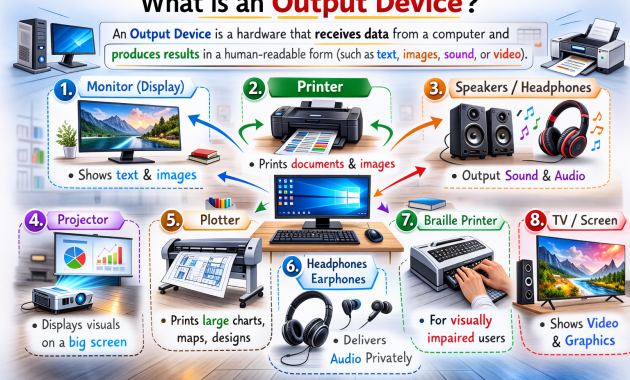
An output device is a piece of computer hardware that receives processed data from the computer and presents it to the user in a readable or usable form.
In simple words:
An output device delivers results from the computer to the user.
This output can be in the form of:
✔ text
✔ images
✔ sound
✔ video
✔ printed paper
✔ vibration or movement
Without output devices, we would never see the results of our work — even though the computer is still processing data internally.
2. How Does an Output Device Work?
The process is easy to understand:
1️ The user enters input
2️ The computer processes the information
3️ The processed information is sent to the output device
4️ The output device displays, prints or plays the result
Example:
You type a sentence → the computer processes it → the monitor displays the text.
Or:
You play music → the audio file is processed → the speakers produce sound.
So output devices convert digital data into human-understandable form.
3. Why Are Output Devices Important?
Output devices are essential because they:
✔ Allow users to see or hear results
✔ Make computer interaction meaningful
✔ Allow printing & permanent record creation
✔ Help communicate information clearly
✔ Enable entertainment such as movies and games
✔ Support digital learning & online collaboration
✔ Assist differently-abled users through accessibility tools
Simply put:
Output devices give computers a “voice” and a “screen.”
Without them, the system would remain silent and invisible.
4. Main Types of Output Devices
Output devices are generally grouped into several major categories:
- Visual output devices
- Audio output devices
- Print output devices
- Projection devices
- Specialized feedback devices
- Assistive output devices
Let’s explore each one in detail.
5. Visual Output Devices
These devices display information in visual form.
Monitor / Display Screen
The monitor is the most common output device. It shows:
✔ documents
✔ web pages
✔ images
✔ videos
✔ software tools
✔ games
Modern monitors are slim, lightweight and available in various resolutions such as HD, Full HD, 2K and 4K. They may use LED, LCD or OLED technology.
Monitors are essential for:
- Studying
- office work
- gaming
- movies
- graphic design
- software development
Projector
A projector displays visuals from a computer onto wide surfaces such as screens or walls.
Commonly used in:
✔ classrooms
✔ meeting rooms
✔ seminars
✔ events
✔ cinemas
✔ training centers
Projectors are ideal when information needs to be shared with a large audience.
Smart Boards & Interactive Displays
These are large touch-enabled screens used for:
✔ teaching
✔ live demonstrations
✔ training
They display output while also allowing users to interact with content.
6. Print Output Devices
These devices produce hard-copy output — meaning physical documents.
Printer
A printer creates printed copies of digital documents.
Printers are used to print:
- Reports
- Invoices
- Photos
- Forms
- Assignments
- labels
Common printer types include:
✔ Inkjet printers — used at home and in offices
✔ Laser printers — fast & professional printing
✔ Thermal printers — receipts & billing
✔ Dot matrix printers — carbon copy printing
✔ 3D printers — create physical 3D objects
Printers are essential in offices, schools, hospitals, banks and government departments.
Plotter
A plotter is used to create large-format drawings such as:
- Maps
- Blueprints
- engineering diagrams
Architects and engineers commonly use plotters for precise line art.
7. Audio Output Devices
These devices convert digital audio signals into sound.
Speakers
Speakers play music, voices, notifications and system sounds.
Used for:
- Music
- Gaming
- Movies
- online communication
Speakers may be built-in or external.
Headphones & Earphones
These provide private listening without disturbing others. Students, travelers and office workers use them regularly.
Soundbars & Studio Speakers
Used in:
- professional audio work
- music production
- home theater systems
8. Specialized Display & Immersive Output Devices
Technology has introduced advanced output tools such as:
✔ VR (Virtual Reality) headsets
✔ AR (Augmented Reality) glasses
✔ Digital billboards
✔ LED wall displays
These are used for:
- Gaming
- Advertising
- training simulations
- skill learning
9. Control & Feedback Output Devices
Some output devices produce tactile sensations or mechanical movement.
Motors & Actuators
Used in:
- Robotics
- industrial automation
- vehicle systems
The system sends instructions → the machine performs movement.
Haptic Feedback Devices
These provide vibration or pressure feedback.
Used in:
- gaming controllers
- smartphones
- simulation environments
- VR devices
They make digital interaction more realistic.
10. Assistive Output Devices
Designed to help users with disabilities.
Examples include:
✔ Braille displays — turn text into tactile raised dots for visually impaired users
✔ Screen readers with speakers — read the text out loud for the user
✔ Captioning tools — display spoken words as written text
These ensure that everyone can use technology comfortably.

11. Difference Between Input & Output Devices
Since people often mix them up, a simple comparison is given below.
| Feature | Input Device | Output Device |
| Direction | Sends data to computer | Receives data from computer |
| Purpose | Enter information | Display or produce results |
| Example | Keyboard | Monitor |
Some devices, including touchscreens, can perform both input and output functions.
12. Real-Life Uses of Output Devices
Output devices are used almost everywhere:
- Education — projectors, smart boards, printers
- Healthcare — medical displays, monitoring systems
- Banking — receipt printers, screens
- Offices — monitors, speakers, laser printers
- Homes — TVs, home printers, headphones
- Gaming — VR headsets, controllers, sound systems
- Media & design — high-resolution displays
They make communication easier and clearer.
13. Advantages of Output Devices
✔ Present information in understandable form
✔ Support communication & collaboration
✔ Enable entertainment & creativity
✔ Help maintain records through printing
✔ Improve productivity
✔ Aid teaching & learning
14. Limitations of Output Devices
They also have a few drawbacks:
- Advanced devices can be expensive
- Require electricity and maintenance
- May face compatibility issues
- Can be damaged physically
- Misuse may cause hearing or eye strain
Responsible use and proper maintenance can solve most of these problems.
15. The Future of Output Devices
Technology is evolving rapidly. Future output devices may include:
- Holographic displays
- Fully immersive VR and AR
- Smarter AI-based audio systems
- Ultra-realistic 3D projection
- Advanced medical diagnostic displays
Computers are expected to present information using more engaging and immersive experiences.
16. Simple One-Line Definition to Remember
Output devices are hardware components that deliver processed data from a computer in visual, audio, or physical formats.
That’s the easiest way to understand it.
17. Quick List — Common Output Devices
✔ Monitor
✔ Printer
✔ Projector
✔ Speakers
✔ Headphones
✔ Plotter
✔ Smart board
✔ VR headset
✔ LED display
✔ Braille reader
✔ Sound system
✔ Actuators & robotic arms
These examples are all types of output devices.
18. Frequently Asked Questions (FAQ)
Is a monitor an input or output device?
A monitor is an output device.
Is a printer an output device?
Yes — it produces printed documents.
Are speakers output devices?
Yes — they output sound.
Can a device be both input and output?
Yes — for example, a touchscreen.
What is the most common output device?
Among output devices, the monitor is the one most frequently used.
19. Final Summary — Key Takeaways
Here’s everything in short:
✔ Output devices take processed information from the computer
✔ They display results as images, sound, or printed material
✔ Common examples are monitors, printers, projectors, and speakers
✔ These devices are used in homes, schools, offices, and industries
✔ Some devices can function as both input and output
✔ Output devices help make computers interactive and practical
Without output devices, computers would still process information — but we would never see the results.